1. Run a Calculation
Each calculation that is run on InForm is saved in the database. This allows for data analysis on the options in the database.
It also improves the user experience. Instead of re-running the calculation it will simply be fetched from the database, which is a lot faster!
Checking if the variant has already been calculated.
- Button when option is not yet in the database.

- Button when option is already in the database.

Auto-submit calculation
If your script is fast, the extra step of clicking the button after changing an input is not ideal for the user experience.
- In the Design Settings menu, scroll down to 'Auto Submit Analysis'
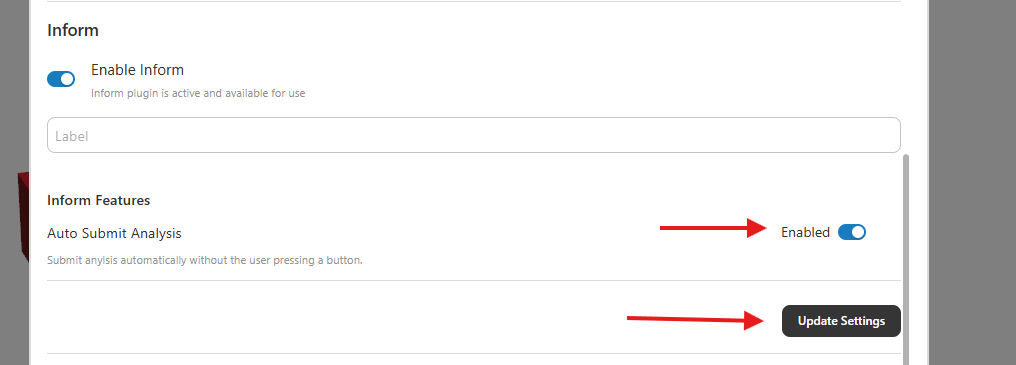
- The button will now dissapear and the calculation will instantly happen. The slider or dropdown will still indicate with a green color if the option is already in the database.
Next Step
Ready to run multiple calculations at once? Learn how to set up and run batch jobs.