Slider (S)
Create a number slider in InF, mirroring the minimum, maximum, and rounding settings of a Grasshopper Number Slider. Expressions on the Grasshopper slider are not supported.
📸 Component Screenshot
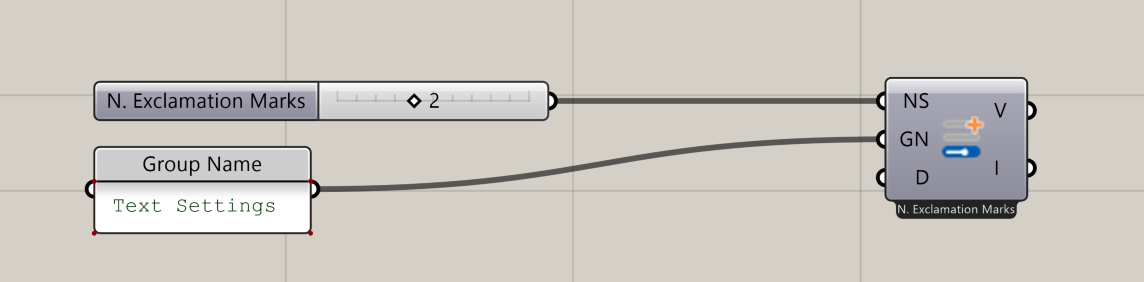
📂 Component Location
Tab: 1. Inputs
📝 Description
The Slider (S) component exposes a Grasshopper Number Slider inside the InForm interface. The slider inherits the original slider’s range and rounding, and the slider name becomes the title shown in InForm Use it to let users adjust numeric parameters interactively.
📁 Example File
🔌 Inputs
| Abbrev. | Full Name | Type | Description |
|---|---|---|---|
| NS | Number Slider | GH Number Slider | A Grasshopper Number Slider. Its name becomes the slider title in InForm Min, max, and rounding are inherited automatically. |
| GN | Group Name | Text | Name of the group this input belongs to. Inputs with the same Group Name are grouped together in InForm |
| D | Description | Text | A short description shown in the InForm info section. |
🔄 Outputs
| Abbrev. | Full Name | Type | Description | Suggested Connections |
|---|---|---|---|---|
| V | Value | Number | The numeric value of the Grasshopper slider. | Use to drive downstream components or modify numeric parameters in the script. |
| I | Input | Number | Input value used for InForm event handling. | Connect to On Input Changed (OIC) in 6. Triggers |