Dropdown (DD)
Create a dropdown menu in InF, using a Grasshopper Value List as the source of selectable options.
📸 Component Screenshot
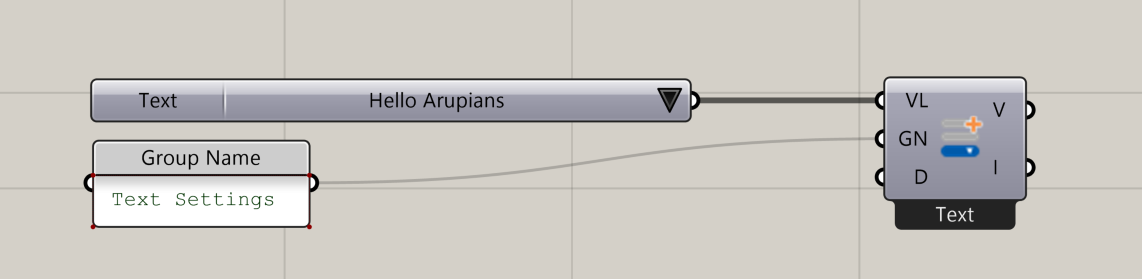
📂 Component Location
Tab: 1. Inputs
📝 Description
The Dropdown (DD) component creates a selectable dropdown menu inside the InForm interface. It takes a Grasshopper Value List and exposes it as an interactive dropdown whose selected value can be used to drive downstream components or trigger InForm events.
📁 Example File
🔌 Inputs
| Abbrev. | Full Name | Type | Description |
|---|---|---|---|
| VL | Value List | Value List | A Grasshopper Value List. Edit values via double-click. Format must be: "text" = number. The Value List name becomes the dropdown title in InForm |
| GN | Group Name | Text | Name of the group this input belongs to. Inputs with the same Group Name are grouped together inside InForm |
| D | Description | Text | A short description shown in the InForm UI (info section). |
🔄 Outputs
| Abbrev. | Full Name | Type | Description | Suggested Connections |
|---|---|---|---|---|
| V | Value | Number | The numeric value corresponding to the selected dropdown item. | Use as input to downstream components to drive parameters or modify script behaviour. |
| I | Input | Number | Input value used for InForm event handling. | Connect to On Input Changed (OIC) in 6. Triggers to dispatch events whenever the dropdown selection changes. |