Inform Material (IF)
Create customizable material properties for InForm geometry, including colour, shading, metallic/roughness parameters, and vertex colour control.
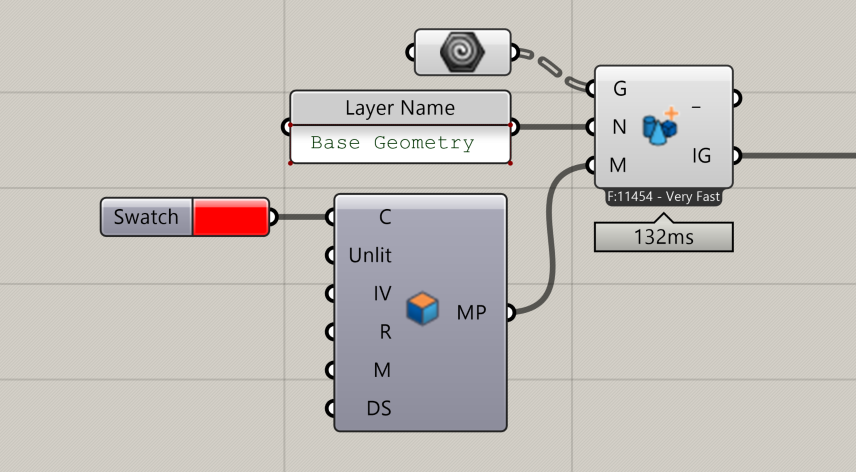
📸 Component Screenshot
📂 Component Location
Tab: 2. Geometry
📝 Description
The Inform Material (IF) component defines how geometry is displayed inside InForm It allows control over colour, shading mode, metallic and roughness attributes, and whether vertex colours embedded in meshes should be used or ignored. Use it to create consistent visual styles for geometry passed to InForm
📁 Example File
🔌 Inputs
| Abbrev. | Full Name | Type | Description |
|---|---|---|---|
| C | Colour | GH Colour | Base colour of the InForm geometry. |
| Unlit | Unlit | Boolean | If True, disables shadows and uses an unlit shader (ideal for analysis results). Default is False. |
| IV | Ignore Vertex Colours | Boolean | If True, ignores any vertex colours stored in meshes. Default is True. |
| R | Roughness | Number | Material roughness (0.0–1.0). Default: 0.5. |
| M | Metallic | Number | Material metallic value (0.0–1.0). Default: 0.15. |
| DS | Doublesided | Boolean | If True, material renders on both sides of the mesh. Default: True. |
🔄 Outputs
| Abbrev. | Full Name | Type | Description | Suggested Connections |
|---|---|---|---|---|
| MP | Inform Material Parameter | InForm Material Parameter | Material definition for InForm geometry. | Connect to the Material (M) input of the Geometry Layer (GL) component. |