Progress Bars (PB)
Generate progress bars that display values relative to a maximum (0–100%), visualized directly in the InForm web interface.
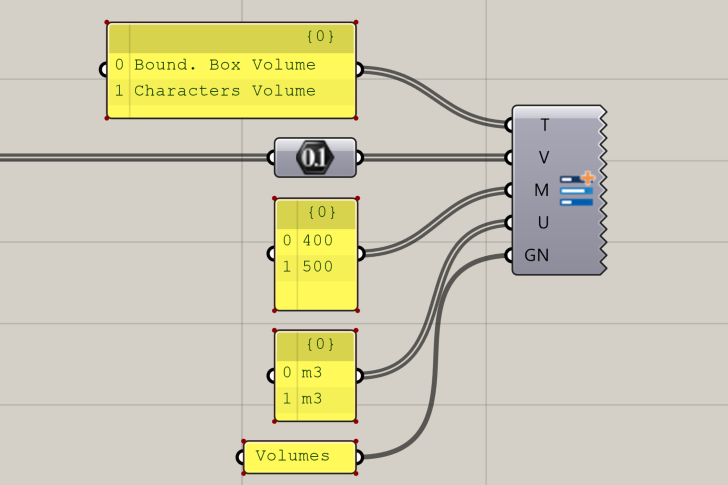
📸 Component Screenshot
📂 Component Location
Tab: 3. Charts
📝 Description
The Progress Bars (PB) component creates a list of progress indicators showing both the raw value and its corresponding percentage relative to a defined maximum. Each bar can include a title and an optional unit, and can be grouped under a shared Group Name.
📁 Example File
🔌 Inputs
| Abbrev. | Full Name | Type | Description |
|---|---|---|---|
| T | Title | Text | List of titles for each progress bar. Keep titles short and clear. |
| V | Values | Number | List of raw values to be represented. |
| M | Maxima | Number | Maximum values corresponding to each entry. Percentage = V / M. |
| U | Unit | Text | Optional list of units. |
| GN | Group Name | Text | Identifier used to group related progress bars inside InForm. |
🔄 Outputs
This component has no outputs.
Once inputs are connected, the progress bars are automatically displayed in the InForm web platform.